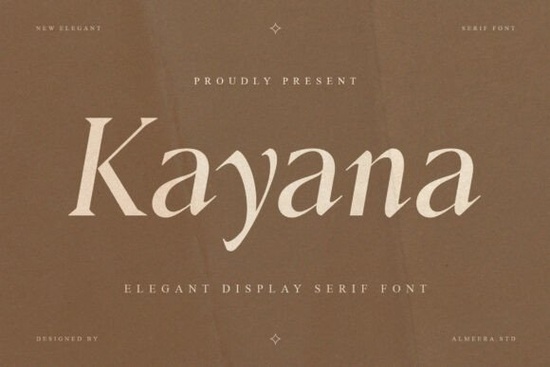
If you're searching for a serif typeface that blends modern sophistication with classic elegance, the Kayana font deserves a closer look. This display serif was designed with graceful curves, refined contrast, and soft transitions that give every letterform a confident, polished appearance. It's the kind of typeface that makes simple text feel like a design statement without trying too hard.
What Makes Kayana Different from Other Serif Fonts?
Plenty of serif fonts look elegant on paper, but many end up feeling stiff or overly traditional once you start using them. Kayana avoids that trap. Its high-contrast stroke weights create a natural rhythm between thick and thin lines, while the distinctive serif details keep things interesting at any size.
You can see the craftsmanship in the way curves flow into terminals and how each character sits comfortably alongside the next. If you've worked with typefaces like Yolane, you'll likely appreciate what Kayana offers. Both share that refined, editorial quality, though Kayana leans slightly more contemporary. You can also explore similar serif styles if you want to compare how different designers approach elegance in type.
Where Does This Font Work Best?
Kayana works well wherever you need text to look intentional and polished. Some of the strongest applications include:
- Logos and branding The elegant curves give brand marks a premium feel without looking overdone.
- Editorial design Magazine headers, book covers, and feature article titles benefit from its visual impact.
- Packaging Especially effective for beauty, skincare, fashion, and specialty food products.
- Website headers Large-scale text is where this typeface really comes alive.
- Invitations and stationery Wedding suites, event programs, and greeting cards look effortlessly elegant.
- Social media graphics Bold enough to stop a scroll, refined enough to feel professional.
For print-on-demand sellers, investing in a quality serif display font like this can set your designs apart from the generic options that dominate most marketplaces. Pair it with a clean sans-serif for body copy and you have a ready-to-use typographic system.
What Features Are Included?
Kayana comes with a practical set of features for real design work:
- Full uppercase and lowercase character sets
- Multilingual support for international projects
- Ligatures and alternates for added design flexibility
- Punctuation and numerals included
- High-contrast elegant serif style optimized for large headlines and display use
- Available in both OTF and TTF file formats
The alternates and ligatures are worth noting they let you swap in different letter shapes to fine-tune the look of your text, which is especially useful for logos and custom branding work.
How Does Kayana Pair with Other Typefaces?
Kayana works beautifully as a heading or display font paired with a simpler body typeface. Think of it as your headline star let it handle titles, logos, and hero text, then use something more understated for paragraphs and descriptions.
For projects that need a bit more drama or a darker mood, Blades of Fortunes offers a different take on serif styling with a bolder presence. You can browse details on that typeface here. If you're working on something with a nostalgic or classic feel, Vintage Praise could be a fitting choice take a closer look at its features to see if it fits your project.
You can also view the full Kayana typeface details to see all available characters and previews before making a decision.
Is Kayana the Right Fit for Your Project?
If your design calls for something that feels modern, artistic, and polished without being flashy Kayana is a strong choice. It's particularly well-suited for designers, small business owners, crafters, and creative hobbyists who want their text-based designs to carry a sense of quality and intention.
Before you download, run through this quick checklist:
- Think about where you'll use it most headlines, logos, packaging, or print materials?
- Confirm your design software supports OTF or TTF files (most do).
- Choose a complementary body font for a complete typographic pairing.
- Check if you need multilingual characters for your target audience.
- Test it at the sizes you actually plan to use Kayana's details show best at larger display sizes.
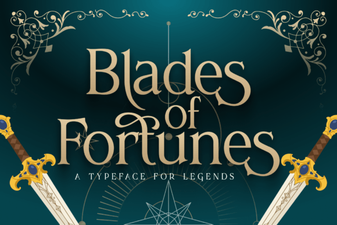 Blades of Fortunes Font - Free Serif Display Font Download
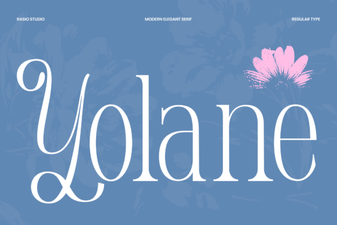 Yolane Font - Elegant Serif Typeface for Modern Design Projects
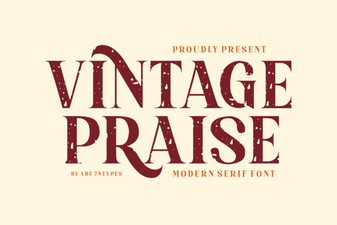 Vintage Praise Font: Timeless Elegance for Creative Projects
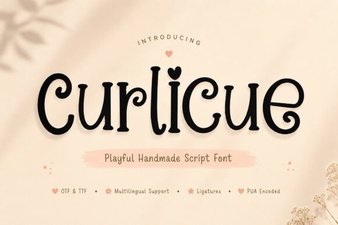 Curlicue Font Free Download - Decorative Script Font Collection
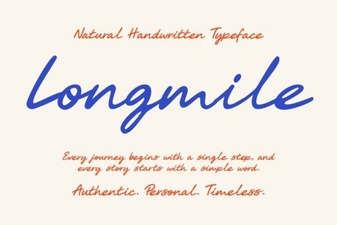 Longmile Font - Elegant Script Font for Creative Designs
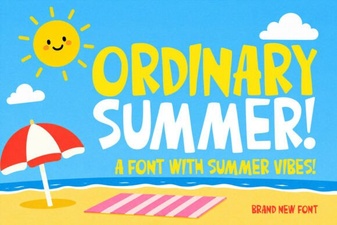 Ordinary Summer Font: Fresh and Relaxed Typography Design