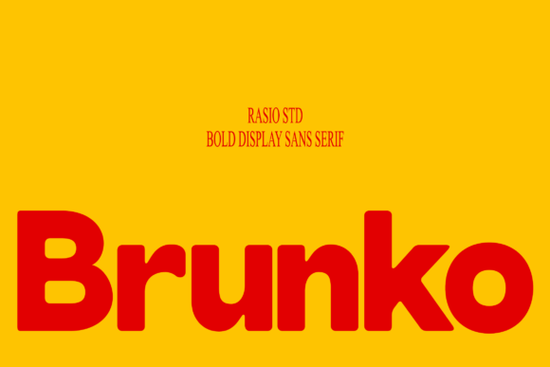
When you need a typeface that feels bold and approachable at the same time, the Brunko Font is worth a closer look. This heavy rounded display font uses strong geometric shapes with playful curves, giving every letter a thick, retro-inspired personality. Whether you're designing a food label, a poster, or a set of social media graphics, Brunko delivers visual impact without feeling aggressive.
Let's break down what makes this typeface useful and how you might put it to work in your next project.
What Makes Brunko Different from Other Rounded Fonts?
Not all rounded typefaces are created equal. Some feel too soft and lose their punch at larger sizes. Others look stiff despite having rounded edges. Brunko sits in a sweet spot its letterforms are heavy and geometric but softened with smooth curves that keep the design friendly.
Here's what you get with this font:
- Uppercase and lowercase characters for flexible layouts
- Numerals and punctuation so you can set complete text blocks
- Thick sans serif strokes with consistent weight throughout
- Energetic proportions that hold attention at any size
The font works especially well when you want your text to carry as much visual weight as an illustration or photograph. It doesn't fade into the background it commands space on the page.
Where Does This Font Work Best?
Based on its construction and style, Brunko shines in projects where legibility and personality both matter. Think about designs that need to grab attention quickly a shelf label, a banner, a product box.
Some specific uses include:
- Food branding and packaging the rounded shapes feel warm and appetizing
- Event posters and flyers bold enough to read from a distance
- Headlines and subheadlines pairs well with simpler body text
- Merchandise and print-on-demand thick strokes reproduce cleanly on products
- Social media graphics stands out in fast-scrolling feeds
If you sell on platforms like Etsy or Redbubble, a bold display font like this can help your designs look more polished without much extra effort.
How Does Brunko Compare to Other Display Fonts?
It helps to see how a font fits within a broader collection. If you like the rounded, heavy style of Brunko but want something slightly different for other projects, there are a few options worth exploring.
For a wider, more stretched look, Arnovia Expanded gives you that expanded sans serif feel with strong visual presence. If you prefer something with a cleaner modern tone, Monteo offers a more structured sans serif style that works well for tech and lifestyle branding. And for a warmer, friendlier vibe, Morning Sunshine brings a relaxed rounded quality that suits casual designs and everyday projects.
Each of these has a distinct personality, so the best choice depends on the mood you're going for. Brunko leans retro and energetic, which makes it a great match for vintage-inspired or playful projects.
Can Beginners Use This Font Easily?
Absolutely. One advantage of a bold display typeface is that it does a lot of the design work for you. You don't need advanced typography skills to make Brunko look good. Just set your text, choose a size, and the thick letterforms naturally draw the eye.
A few quick tips for getting the most out of it:
- Use it for short text like titles, logos, and labels it's not designed for long paragraphs
- Pair it with a light or regular weight sans serif for body copy to create visual contrast
- Give it breathing room generous spacing around the text helps the shapes stand out
- Try it in all caps for maximum impact on posters and packaging
Is It Compatible with Standard Design Tools?
Yes. Once downloaded, you can install Brunko on your computer and use it in popular software like Adobe Illustrator, Photoshop, Canva, Cricut Design Space, and Silhouette Studio. It works for both digital and print projects, so whether you're designing a website header or cutting vinyl decals, the font fits smoothly into your workflow.
You can find Brunko Font and many other display typefaces on Creative Fabrica.
Quick Checklist Before You Start Designing
- Download and install the font files on your device
- Test it at different sizes to see where it looks strongest
- Choose a pairing font for any supporting text around it
- Check the license to make sure it covers your intended use personal, commercial, or print-on-demand
- Export and preview your design on the actual product or platform before publishing
Next step: If Brunko fits the style you're after, grab it and test it in a real project. Set a headline, try it on a mockup, and see how it feels in context. The best way to know if a font works is to actually use it in your own designs.
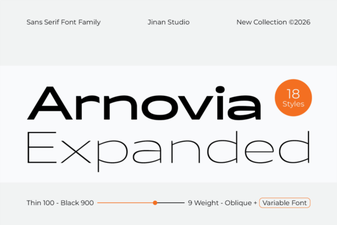 Arnovia Expanded Font: Bold and Modern Display Typography
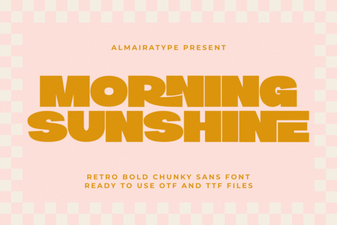 Morning Sunshine Font: Brighten Your Creative Designs Naturally
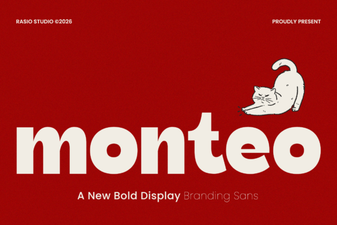 Monteo Font: a Modern Typeface for Creative Design Projects
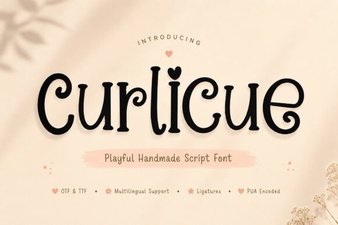 Curlicue Font Free Download - Decorative Script Font Collection
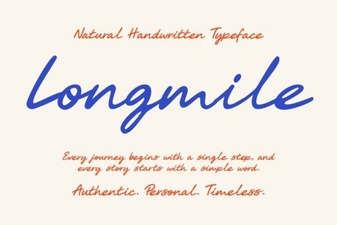 Longmile Font - Elegant Script Font for Creative Designs
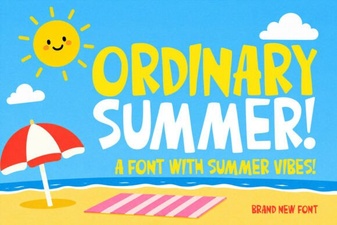 Ordinary Summer Font: Fresh and Relaxed Typography Design