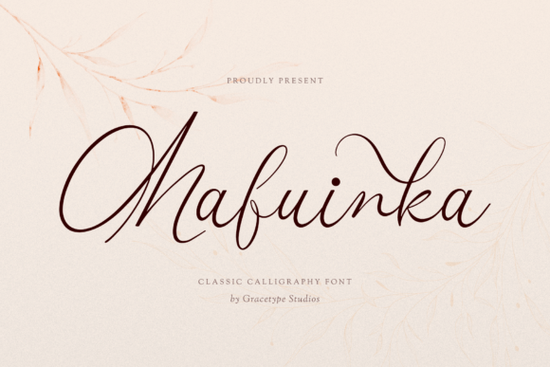
Finding the right signature font can make or break a design project. Mafuinka is a hand-drawn script typeface built for designers who want that high-end, handwritten look without hiring a calligrapher. Its ultra-fine strokes, dramatic loops, and flowing ligatures give it an unmistakable elegance that works across wedding stationery, beauty branding, and luxury packaging.
What does the Mafuinka font actually look like?
Mafuinka features fluid, high-contrast character lines with sweeping ascenders and delicate cursive connections. The baseline has a natural, organic rhythm it doesn't sit in a perfectly straight line, which is exactly what gives it that authentic penmanship quality.
The overall silhouette is light and airy. Letters breathe with generous spacing, and the fine strokes create an open, sophisticated feel. If you've ever tried to replicate a luxury brand's signature style with a standard script font, you know how hard it is to find one that actually looks handcrafted. Mafuinka pulls this off convincingly.
Is this font right for your project?
Not every script font works for every job. Here's where Mafuinka tends to be a strong fit:
- Wedding invitations and stationery The elegant loops and refined letterforms give formal invitations a personal, luxurious feel.
- Beauty and skincare branding Think perfume boxes, cosmetics labels, and salon logos that need a polished, feminine touch.
- Fashion labels and boutique logos The high-fashion signature style works well for clothing tags, hang tags, and brand marks.
- Editorial design Magazine headers, blog titles, and lookbook layouts benefit from its dramatic character.
- Digital signatures and email sign-offs A clean, professional way to add personality to your correspondence.
If your project leans more playful or casual, a font like this friendly handwritten style might be a better match. But for anything that needs to communicate elegance and refinement, Mafuinka is hard to beat.
How does it compare to other script fonts?
The script font category is crowded, so choosing the right one depends on the mood you're going for. Here's how Mafuinka stacks up against some popular alternatives:
- Darling Charm A sweet, romantic script with a more rounded, approachable character. Great for girly designs and Valentine's projects.
- Ordinary Summer A relaxed, casual handwritten font that works well for everyday designs and social media graphics.
- Curlicue An ornate decorative script with elaborate flourishes, ideal for monograms and ornamental headings.
- Baseball Handwriting A sporty, informal script with a completely different energy, best for athletic and team-themed designs.
Mafuinka sits firmly in the luxury tier. It's not trying to be fun or quirky it's designed to feel expensive, personal, and refined.
What should you pair it with?
Signature fonts like Mafuinka work best when paired with a clean, simple sans-serif or serif for body text. The contrast between the decorative script and a straightforward secondary font keeps your layout readable and balanced.
A few pairing principles that work well:
- Use Mafuinka for headlines, logos, or featured text only don't set paragraphs in it.
- Choose a light or regular weight sans-serif (like a geometric or humanist typeface) for supporting text.
- Keep your color palette neutral or muted to let the font's character shine.
- Give it room to breathe generous margins and spacing make a big difference with fine script fonts.
Any limitations to know about?
Like most delicate script fonts, Mafuinka's thin strokes can be tricky at very small sizes. It's not ideal for body copy, footnotes, or anywhere you need high legibility at under 14pt. For those situations, stick to a clean sans-serif and reserve Mafuinka for display use.
Also, if you're using it for print-on-demand products, always test how the fine lines reproduce on your specific printer or print service. Some POD platforms can lose detail on thin strokes, so a quick test print saves headaches later.
Quick checklist before you start designing
- ✅ Confirm character and language support Make sure the font includes the glyphs and symbols your project requires.
- ✅ Review the license Check that it covers your intended use, whether that's commercial projects, POD items, or client work.
- ✅ Test at your target size Preview it in your design software at the sizes you'll actually use.
- ✅ Pick a secondary font Pair it with a clean typeface for body text before committing to a full layout.
- ✅ Check ligature rendering Open your software's glyph panel to make sure swashes and alternates display correctly.
Start by downloading the font and setting a few test headlines in your current project. You'll know within minutes whether its style fits your creative direction.
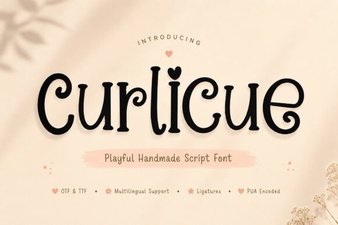 Curlicue Font Free Download - Decorative Script Font Collection
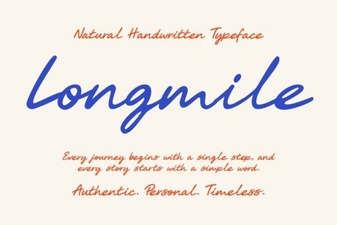 Longmile Font - Elegant Script Font for Creative Designs
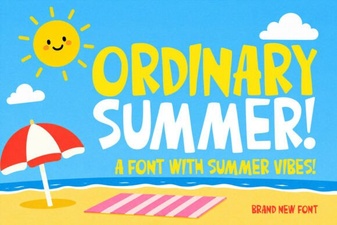 Ordinary Summer Font: Fresh and Relaxed Typography Design
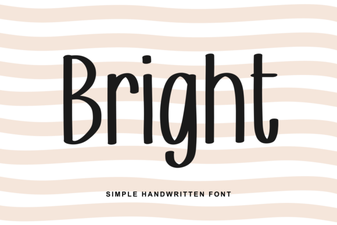 Bright Font Ideas for Bold and Eye-Catching Designs
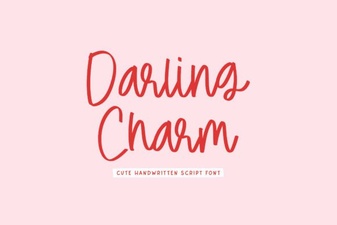 Darling Charm Font: Elegant Script for Creative Design Projects
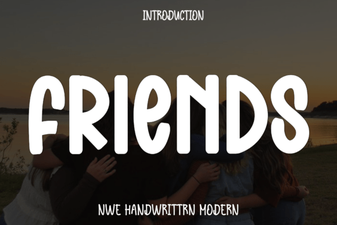 Friends Font: Creative Ideas for Your Next Design Project