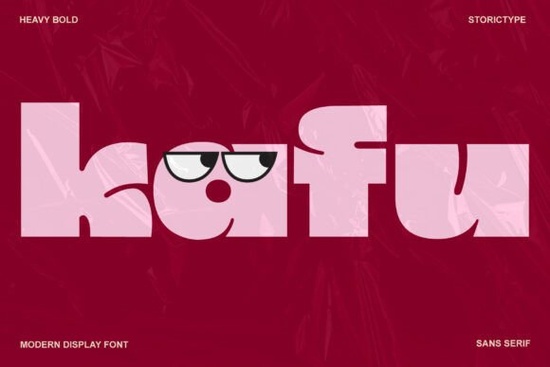
Looking for a bold display font that commands attention without overcomplicating things? Kafu Font is a heavy, high-contrast typeface with clean geometric lines inspired by modern architecture. It works well for branding, posters, social media graphics, and editorial layouts where you need both elegance and visual punch.
If you're a designer, crafter, or small business owner searching for a typeface that feels current and confident, here's what you should know before picking it up.
What Does Kafu Font Look Like?
Kafu is a modern display typeface with thick strokes, tight spacing, and sharp geometric shapes. The high contrast between thick and thin strokes gives it a refined, architectural quality think sleek building facades and minimalist product packaging.
It's not a text font. You wouldn't set a full paragraph in Kafu. But for headlines, logos, product labels, and large-format designs, it delivers real presence. The letterforms are clean and contemporary, so they fit naturally into fashion branding, luxury packaging, and modern poster design.
Who Is Kafu Font Best For?
Kafu is a strong fit for:
- Print-on-demand sellers who need bold, readable typography for t-shirts, mugs, and tote bags
- Small business owners designing logos, business cards, or packaging without hiring a designer
- Social media managers creating Instagram posts, story covers, or Pinterest pins that stop the scroll
- Editorial and layout designers working on magazine covers, lookbooks, or brochures
- Creative hobbyists making invitations, posters, or wall art for personal projects
If your work involves large, eye-catching text Kafu is worth a serious look.
What Design Styles Pair Well with Kafu?
Because Kafu is bold and geometric, it pairs best with simpler companion fonts. Use it for your headline, then set body copy in something lighter and more readable.
A few pairing ideas:
- Pair Kafu with a clean sans-serif for a modern, minimal aesthetic
- Combine it with a flowing script for contrast something like a decorative display style such as Belindra adds softness next to Kafu's sharp edges
- Use it alongside a chunky, playful typeface like Lion Crunch for designs that need mixed energy
- For vintage-inspired projects, try combining it with a retro sign-paint style like Main Street Traffic
The key is contrast. Kafu does the heavy lifting up top let your secondary font handle the supporting details.
Where Does Kafu Font Work Best?
Here are some specific project ideas where this font shines:
- Fashion and beauty branding logos, hang tags, packaging
- Poster and flyer design event promotion, gallery shows, product launches
- Social media graphics bold quote cards, sale announcements, story headers
- Website headers hero text on landing pages or portfolio sites
- Merchandise design t-shirt slogans, sticker packs, phone cases
- Wedding and event stationery modern invitation suites with a strong typographic statement
It also works nicely alongside other bold display options. If you're building a font collection, consider mixing it in different projects with an edgy street-style typeface like Urban Blast or a more refined editorial option like Goodwin.
Is Kafu Font Easy to Use?
Yes. Kafu is available in standard font formats, so you can install it on both Mac and Windows and use it across popular design software Adobe Illustrator, Photoshop, Canva, Affinity Designer, and others.
Once installed, it appears in your font menu like any other typeface. No special setup required. If you're selling on platforms like Etsy or running a POD business, just make sure to check the license terms on the download page to confirm commercial use is included.
What Should You Check Before Downloading?
Before you download, keep these things in mind:
- License type confirm the license covers your intended use (personal, commercial, POD, etc.)
- File formats check that the package includes OTF, TTF, or web font files depending on your needs
- Character set verify the font includes the glyphs and language support you need
- Software compatibility make sure it works with your preferred design tools
Quick Checklist Before You Start Designing
- Download and install Kafu on your system
- Test it at different sizes it performs best at larger scales
- Choose a lighter secondary font for body text
- Check the license for your specific project type
- Export and preview on your target medium (screen, print, merchandise) before finalizing
Tip: Bold display fonts like Kafu can look very different depending on letter spacing and size. Always test your headline at the actual dimensions it will appear in the final design what looks great at 72pt on screen might feel too tight or too loose on a printed poster.
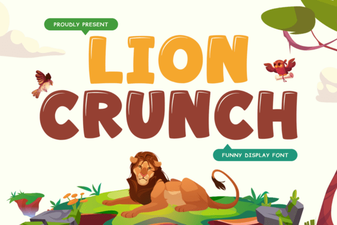 Lion Crunch Font – Bold Display Typeface for Creative Designs
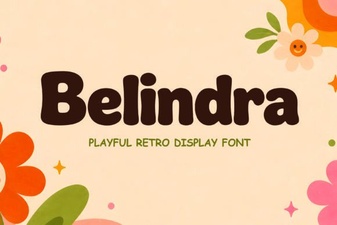 Belindra Font: Modern Elegance for Design Projects
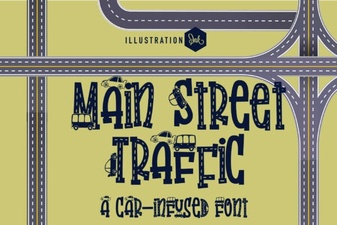 Main Street Traffic Font - Bold Vintage Street Sign Display Typeface
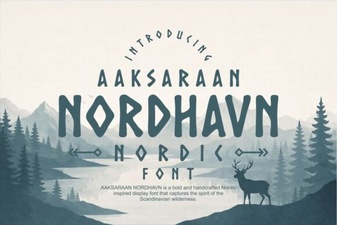 Elegant Nordic Typography for Modern Design
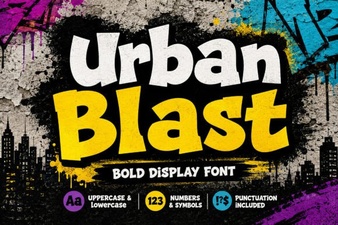 Urban Blast Font: Bold Display Type for Modern Creative Projects
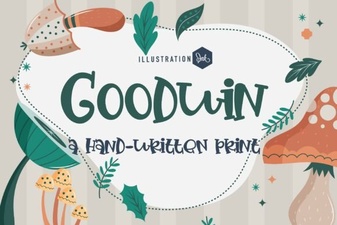 Goodwin Font: Modern Elegance for Creative Design Projects